Sound level meter for Android
How loud is it, really?
Decibel Meter turns your phone into an accurate sound level meter. Measure noise in decibels in real time, see what it compares to, and find out straight away whether it's safe for your ears.
- Free
- No account
- Audio never leaves your phone
From a whisper to a jet engine
Every reading, explained in plain English
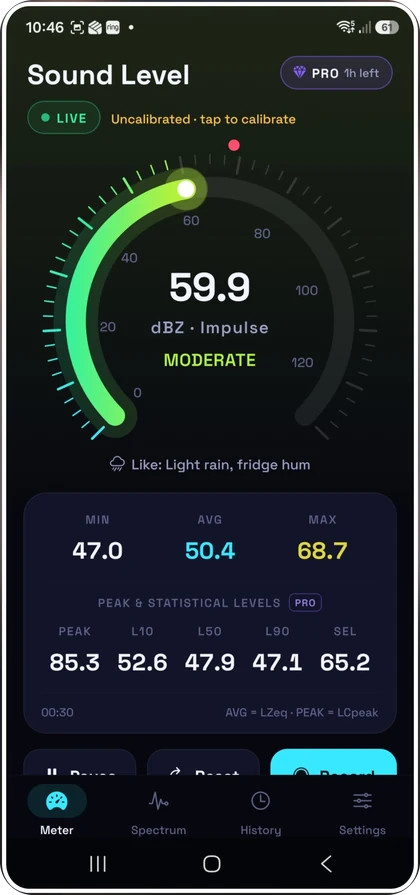
Most noise meter apps give you a jumpy number and nothing else. Decibel Meter tells you what that number is like ("normal conversation", "heavy traffic", "nightclub") and whether you should be worried about it.
Hearing risk starts with long exposure around 85 dB, and every 3 dB above that halves the time you can safely listen. The app does that maths for you.
- 20Very quiet Whisper, ticking watch
- 30Quiet Quiet bedroom at night
- 40Calm Library, quiet office
- 50Moderate Light rain, fridge hum
- 60Lively Normal conversation
- 70Loud Vacuum cleaner, busy street
- 80Very loud Heavy traffic, blender
- 90Harmful Lawn mower, motorbike
- 100Dangerous Nightclub, chainsaw
- 110Extreme Front row at a rock concert, siren
- 120Pain threshold Thunderclap, jet take-off nearby
What it does
A proper sound level meter, not a toy
It uses the frequency and time weighting defined in IEC 61672, the international standard for professional sound level meters.
Live decibel meter
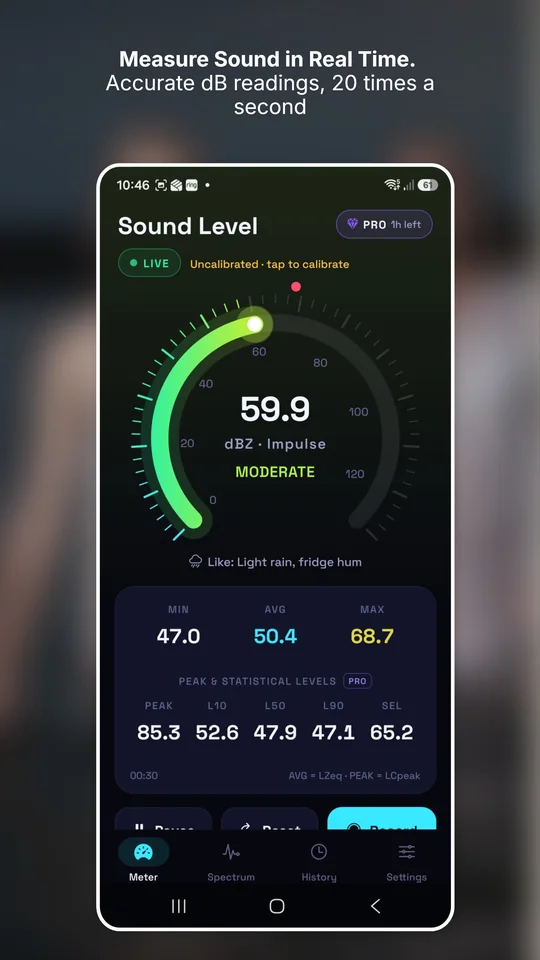
A big, readable gauge that updates 20 times a second, with min, average (Leq) and max, a live chart of the last 30 seconds to 2 minutes, and real-world comparisons from a whisper to a jet.
Measuring with your phone →Is it safe for your ears?
Every reading comes with a clear verdict (safe, getting loud or harmful) and how long you can safely listen at that level, following NIOSH guidance. An optional alarm vibrates when noise crosses your limit.
Safe decibel levels →Sound profile and spectrum
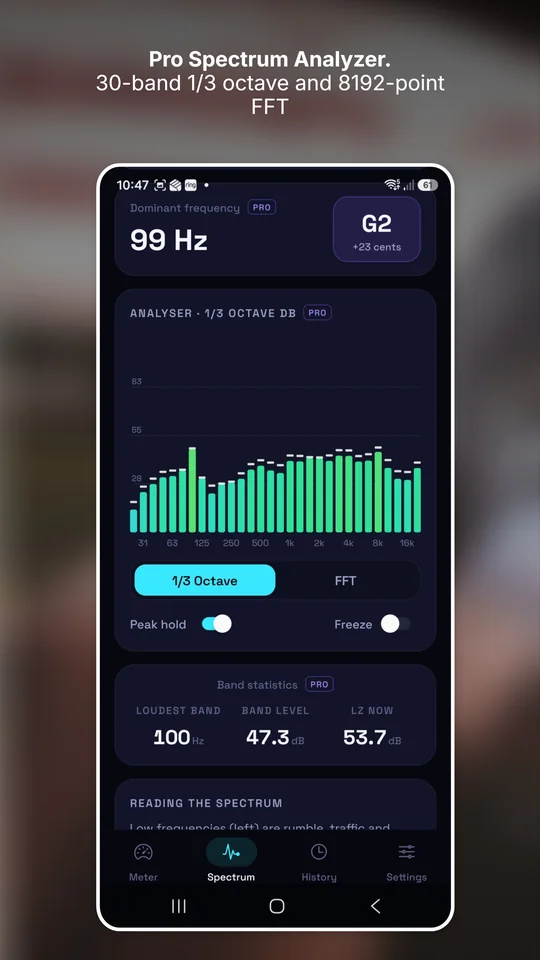
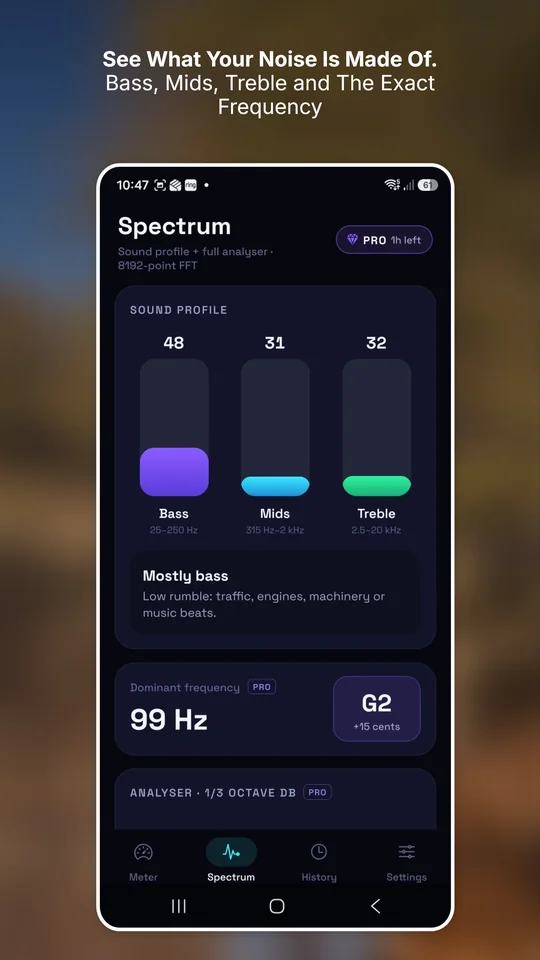
See whether a sound is mostly bass, mids or treble, then dig into a 30-band 1/3-octave analyser and an 8192-point FFT, with the dominant frequency and its musical note.
Track down a hum →Recordings and noise reports
Record for up to an hour with an auto-stop timer. Each recording becomes a report with a timeline, time spent at each level and loud events, which you can share or export to CSV.
Logging noise problems →Pro tools, one ad away
A, C and Z weighting; Fast, Slow and Impulse; LCpeak, L10, L50, L90 and SEL; NIOSH or OSHA noise dose and 8-hour TWA. Watch one short ad for 12 hours of Pro with no ads.
What the Pro numbers mean →Accurate by design
Many apps measure through the phone's voice processing, which quietly adjusts the volume. Decibel Meter reads raw microphone audio, starts from Android's microphone spec and lets you calibrate.
How accurate are phone meters? →See it in action
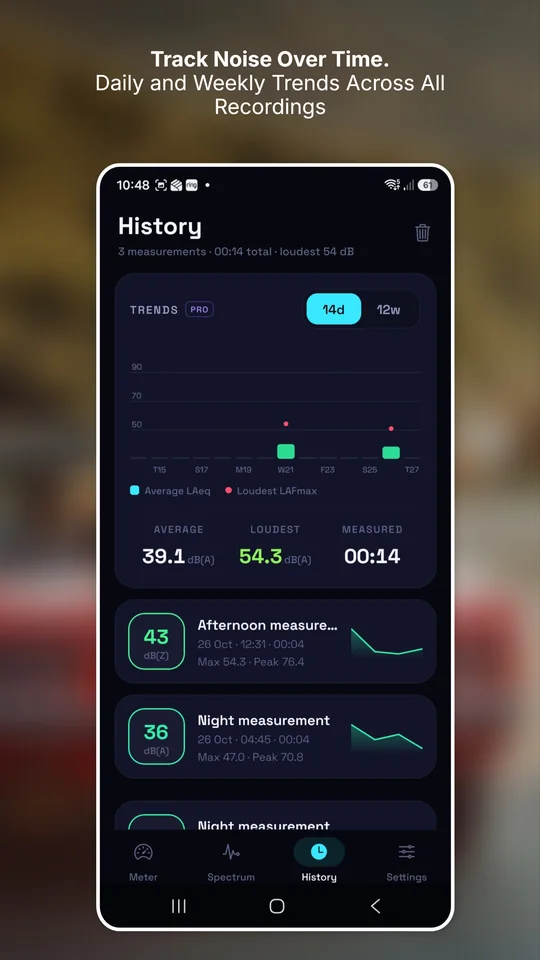
Live meter, spectrum analyser, sound profile and trends across every recording.
Who uses a decibel meter?
Anyone who's ever wondered whether something is too loud.
Accurate by design
Raw microphone audio, not voice processing
Phones are built for calls. Their audio path quietly turns quiet sounds up and loud sounds down, and filters out "noise". That's great for a phone call and terrible for measuring noise, and it's why many meter apps drift.
Decibel Meter asks Android for raw microphone audio with gain control and noise suppression switched off, then applies proper A, C or Z frequency weighting and Fast, Slow or Impulse time weighting to every sample.
It starts from a sensible calibration based on Android's microphone specifications, warns you when sound is too loud for your microphone to measure, and lets you match it to a reference meter.
Phone microphones vary and aren't certified instruments. Uncalibrated readings are typically within 2 to 5 dB for normal levels. Read our honest take on accuracy.
Private by default
Sound is analysed on your phone and thrown away instantly. It's never recorded or uploaded. There's no account and no sign-up, and your measurements stay on your device.
Guides to sound and noise
Straight answers about decibels, hearing and noise, with a new guide every week.
 Noise at work
Workplace noise limits in the UK and US
The 80, 85 and 87 dB(A) UK action values, OSHA and NIOSH limits, and what employers have to do at each one.
 Noise at home
How loud should a baby's white noise machine be?
The research on infant sleep machines, the 50 dB target, and how to check yours in two minutes.
 Measuring sound
What is a decibel? The dB scale, explained simply
Why the decibel scale is logarithmic, why +3 dB doubles the energy, and why two loud machines aren't twice as loud as one.
 Hearing health
How loud is too loud? Safe decibel levels
Why 85 dB is the line that matters, how fast safe listening time shrinks above it, and the warning signs to watch for.
 Noise at home
How to measure noise from noisy neighbours
How to measure and log neighbour noise so it's useful to a landlord or council, and what levels actually matter.
 Measuring sound
How to measure decibels with your phone
Where to hold the phone, which settings to pick and how long to measure, so your dB readings actually mean something.
Questions people ask
Is Decibel Meter free?
Yes. Decibel Meter is free on Google Play and supported by ads. The professional tools (A/C/Z weighting, the full spectrum analyser, noise dose, CSV export and more) unlock for 12 hours when you choose to watch one short ad, and there are no ads while Pro mode is on.
How accurate is a phone decibel meter?
Decibel Meter measures raw microphone audio with the weighting defined in IEC 61672, so it avoids the volume-levelling that makes many apps drift. Uncalibrated readings are typically within about 2 to 5 dB for everyday sound levels, and calibrating against a reference meter usually brings that to about 1 dB. More on phone meter accuracy.
What decibel level is dangerous?
Hearing risk starts with long exposure at around 85 dB(A). Every 3 dB above that halves the safe listening time, so 94 dB(A) is safe for only about an hour a day. The app shows a safe, getting loud or harmful verdict with every reading. See safe decibel levels.
Does the app record my audio?
No. Sound is analysed on your phone and immediately discarded. It is never recorded, saved or uploaded. Saved measurements contain numbers only and stay on your device. There's no account or sign-up.
Can I use it to record noise from neighbours?
Yes, as a log for yourself. Recordings show a timeline, the time spent at each level and when loud events happened, and you can export the data to CSV. It isn't a certified meter, so councils may still need their own equipment. How to measure neighbour noise.
What's the difference between dB, dB(A) and dB(C)?
dB(A) is weighted to match how loud sound seems to people and is used for hearing safety. dB(C) keeps more of the bass and suits loud music. dB(Z) is unweighted. Frequency weighting explained.
Can I calibrate it?
Yes. The app starts with a default calibration based on Android's microphone specifications, and you can fine-tune it or match it to a reference sound level meter. How to calibrate.
Is Decibel Meter a certified sound level meter?
No. Phone microphones vary and aren't Class 1 or Class 2 instruments. For legal, medical or workplace compliance measurements, use calibrated professional equipment.
Find out how loud your world really is
Free on Google Play. No account, and your audio never leaves your phone.


